
AdsPower Alternative: When Browser Profiles Aren't Enough for Mobile
**Short answer:** AdsPower is useful when your operation lives inside desktop browsers. It is much less useful when your core workflow depends on native mobile apps like TikTok, Instagram, Facebook, or marketplace apps. In those cases, a real-device setup is usually the stronger alternative because
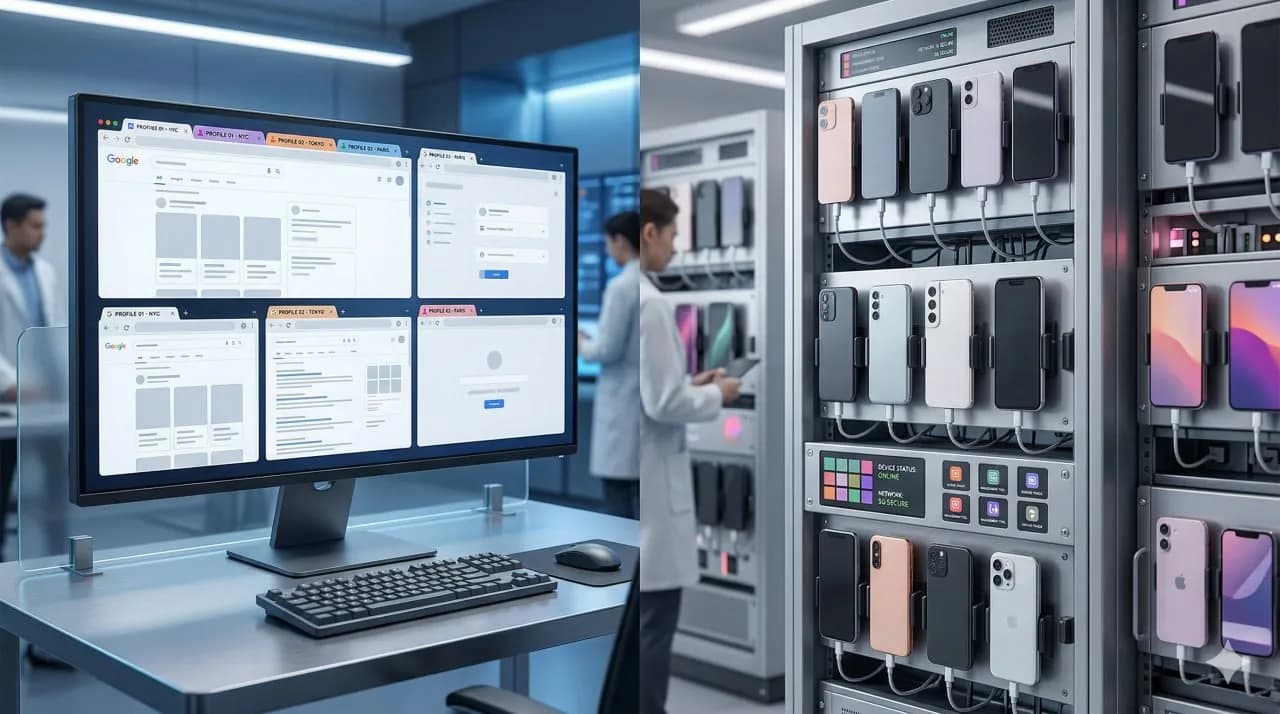
Short answer: AdsPower is useful for operations that live inside desktop browsers. It is much less useful when the core workflow depends on native mobile apps like TikTok, Instagram, Facebook, or marketplace apps. In those cases, the maintained comparison usually shifts from browser fingerprints toward mobile device identity and real-device conditions.
Key takeaway: AdsPower solves a browser-isolation problem. It does not solve a native mobile infrastructure problem. Once the workflow runs mainly inside mobile apps, the relevant comparison moves out of browser-profile tooling and into real-device or cloud-phone architecture built for mobile.
The AdsPower alternative query usually reflects two different intents:
- people who want a cheaper or simpler antidetect browser, and
- people who have realized that browser profiles are not enough for the apps they actually need to run.
This article is for the second group.
In mobile-first workflows, the real comparison is not AdsPower versus another browser brand. It is browser profiles versus mobile device infrastructure. That architectural gap explains why many teams outgrow browser-first tools once they start operating at scale in native apps.
Cloud phone architecture vs browser profiles maps the browser-profile versus device-layer split.
The broader cloud phone guide defines the infrastructure baseline.
Best Cloud Phones for Social Media in 2026 surveys the current mobile-first vendor field.
GoLogin alternative for browser-based account stacks documents a browser-stack option in that category.
Decision answer: when is AdsPower not enough?
AdsPower is useful when the main problem is browser separation: cookies, profiles, proxy assignment, team access and web-console hygiene. It is not the same category as real mobile-device infrastructure. The buying question is therefore not “which dashboard has more features?” but “where does the account risk actually happen?”
Use AdsPower when the workflow stays mostly in web dashboards, browser sessions and low-friction account separation. Consider iRemotech when the workflow depends on native mobile apps, iOS behavior, camera or gallery actions, recovery windows, long-lived sessions and operators who need access to a credible phone environment without maintaining hardware.
The clean decision rule is simple: if the platform evaluates the account through app behavior and mobile-device continuity, a browser profile solves only part of the problem. In that case the alternative is not another profile tool; it is a real-device operating layer.
What AdsPower is good at
AdsPower is an antidetect browser designed to isolate browser profiles. It creates separate browser environments so websites do not easily connect accounts through the same browser fingerprint.
Common browser-first workloads in that category include:
- web-based ad accounts,
- affiliate workflows,
- e-commerce back offices,
- browser-first multi-account tasks,
- web scraping with profile separation, and
- teams that need organized browser session management.
For those workflows, AdsPower has a clear place in the market.
The problem starts when teams assume the same model will protect them inside native mobile apps.
Where browser-profile coverage ends
AdsPower operates at the browser layer. Native mobile apps operate at the device layer.
That difference matters because mobile apps can evaluate much more than a browser fingerprint. They can score:
- device identity,
- OS consistency,
- carrier data,
- network quality,
- sensor realism,
- app integrity state, and
- behavioral patterns over time.
When an operation depends on TikTok, Instagram, Facebook, or other native mobile apps, browser isolation alone does not solve the real trust problem.
This is the same issue covered in device fingerprinting on mobile: the platform is not only checking a browser canvas or user agent. It is checking whether the whole mobile environment looks genuine.
The most common reason teams look for an AdsPower alternative
They are not always unhappy with AdsPower itself.
Often, they discover a structural limit:
- the browser profile looks isolated,
- but the app workflow still needs a real mobile device,
- or the web version of the platform is weaker than the app,
- or the trust model is clearly mobile-first,
- or their team is trying to run browser logic on a problem that is really about phone infrastructure.
This is especially common with TikTok and Instagram operations. The browser can help with some surfaces, but the native app remains the higher-trust environment for many workflows.
What the real alternatives are
The landscape breaks into three practical categories.
If the buyer still wants a browser-profile shortlist before moving to real devices, keep the AdsPower vs GoLogin vs Dolphin Anty comparison separate from the mobile-infrastructure decision.
1. Another antidetect browser
This category covers businesses that are still mostly web-based and are comparing pricing, UX, integrations, or profile management.
When comparing browser products specifically, the options include:
- GoLogin’s browser product,
- Multilogin’s browser product,
- Dolphin Anty,
- MoreLogin’s browser product,
- or other browser-profile managers.
This list concerns browser products, not whole vendor portfolios. Multilogin and MoreLogin also advertise Android cloud phones on their official sites, checked 7 September 2026. Native Android requirements therefore do not automatically require leaving these vendors; compare the specific mobile products and verify current features and prices.
Browser profiles vs cloud phone architecture establishes the browser-profile category baseline.
Best Antidetect Tools for Social Media in 2026 documents the browser-first toolset for teams staying in that operating model.
Android Cloud Phone vs Real iPhone addresses the shift from browser setup to native-app trust loss.
Device Fingerprinting on Mobile explains the trust layer directly.
Phone Farm vs Cloud Phone covers the operating-model tradeoff, while How to Build an iPhone Farm documents the ownership path.
Additional Android-vendor references include GeeLark alternative to Android cloud phones and VMOSCloud Alternative.
These workload references stay clearest when each one remains attached to the operating context it actually documents.
Phone Farm for Instagram documents the Instagram-heavy workflow.
Phone Farm for TikTok documents the TikTok-heavy workflow.
Cloud Phone for WhatsApp Business documents the messaging-heavy workflow.
iRemotech pricing documents the managed-service scope.
2. Android cloud phones
This category sits between browser-only operations and higher-trust mobile-device infrastructure.
Android cloud-phone workloads in that category include:
- app access instead of browser-only access,
- cheap Android sessions,
- remote provisioning,
- faster scaling than a local phone rack, or
- lightweight mobile testing.
The tradeoff is that many cloud-phone products are still synthetic or Android-only. For high-trust use cases, that gap matters.
Android cloud phone vs real iPhone documents the Android-versus-real-device split.
3. Real remote devices
This category appears when the operation is genuinely mobile-first.
Real remote devices appear in cases such as:
- native apps as the main surface,
- device trust as a material requirement,
- carrier-backed identity as a material requirement,
- one-account-per-real-device operating models,
- iOS access as a requirement,
- or browser profiles no longer covering the trust layer.
This is the category where iRemotech sits: real remotely hosted iPhones with dedicated SIMs, built for professional mobile operations rather than desktop-browser masking. The workload references below document the main operating patterns in that category.
Phone Farm for Instagram documents the Instagram-heavy workflow.
Phone Farm for TikTok documents the TikTok-heavy workflow.
iRemotech pricing documents the managed-service scope.
AdsPower vs a real-device alternative
The simplest way to compare them is by what problem each tool is trying to solve.
AdsPower solves
- browser fingerprint isolation,
- cookie/session separation,
- multi-profile desktop workflows,
- browser-based account operations.
A real-device alternative solves
- native mobile app execution,
- genuine device identity,
- real iOS or Android hardware behavior,
- carrier-backed mobile context,
- one-device-per-account operations.
These are not minor product differences. They are different infrastructure categories.
Comparison table: AdsPower vs mobile-first alternatives
| Dimension | AdsPower | Android cloud phone | Real remote iPhone |
|---|---|---|---|
| Core category | Antidetect browser | Remote mobile environment, usually Android | Physical iPhone hosted remotely |
| Best for | Browser-based account work | Android app access and lower-cost mobile sessions | Native mobile operations that need real iPhone conditions |
| Runs native mobile apps | No | Yes | Yes |
| Solves browser fingerprinting | Yes | Partially irrelevant to core use case | Not the primary layer |
| Solves mobile device identity | No | Partially, depending on architecture | Yes, because the hardware is real |
| Carrier/SIM realism | No | Often weak or simulated | Strong when backed by a dedicated SIM |
| iOS support | No | No real iOS | Yes |
| Operational model | Desktop/browser-first | Mobile access with varying realism | Mobile-first, real-device infrastructure |
| Best buyer | Affiliate, media buying, browser-account operators | Android-first mobile operators | Agencies and teams running serious native-app workflows |
When AdsPower stays in the browser-first layer
AdsPower stays aligned with browser-first operations in cases such as:
- work that happens mainly in browser tabs,
- workflows that do not depend on native mobile apps,
- account management that happens through websites rather than apps,
- setups where browser fingerprint management is the main challenge, or
- lower-friction desktop tooling for web operations.
Not every team operates inside a mobile-device stack. Many teams remain fully inside browser infrastructure.
When operations move beyond AdsPower
A different tool category appears in cases such as:
- app workflows that are mobile-native,
- web versions that are incomplete or lower trust,
- platform detection that is clearly device-level,
- accounts getting linked despite browser separation,
- one-account-per-phone operating models,
- carrier-backed identity requirements,
- or workflows that depend on real iPhones rather than desktop browser profiles.
At that stage, the comparison shifts away from browser-profile tooling and toward the mobile architecture itself.
Best Cloud Phones for Social Media in 2026 maps the current mobile-device vendor set.
Phone Farm Software: What Actually Controls the Devices spells out the control layer.
Browser profiles vs cloud phone architecture defines the browser-first versus device-level architecture boundary.
Frequently asked questions
When is a browser-profile tool no longer enough?
It stops being enough when the work has moved from web sessions into native mobile apps. At that point the browser fingerprint is only one signal; the device, OS, network, SIM profile and account behavior all start to matter.
Does every team need real iPhones?
No. Low-risk testing and browser-first workflows can stay cheaper. Real iPhones make sense when account value, iOS behavior, long-term stability or platform trust matter more than the lowest monthly device cost.
What should I check before moving from an antidetect stack?
Check where the actual work happens. If operators spend most of the day inside TikTok, Instagram, WhatsApp or another mobile app, evaluate the mobile environment first and the browser layer second.
How should a team migrate without breaking current accounts?
Move in batches. Keep high-value accounts on stable devices, avoid sudden network and behavior changes, and only scale once the first group has a clean operating routine.
Stop juggling physical devices.
iRemotech gives you real iPhones in the cloud — ready for multi-account operations, automation, and scale. Create your account in minutes.
Sign up freeMiguel Nogales
Founder @ iRemotech
From Spain, living in Andorra. Tech enthusiast passionate about infrastructure, remote technology, and building innovative solutions.