GoLogin vs Multilogin vs AdsPower: Browser Products Compared
Compare browser products separately from Android cloud phones and remote physical iPhones, using task-based tests rather than an unsupported ranking.
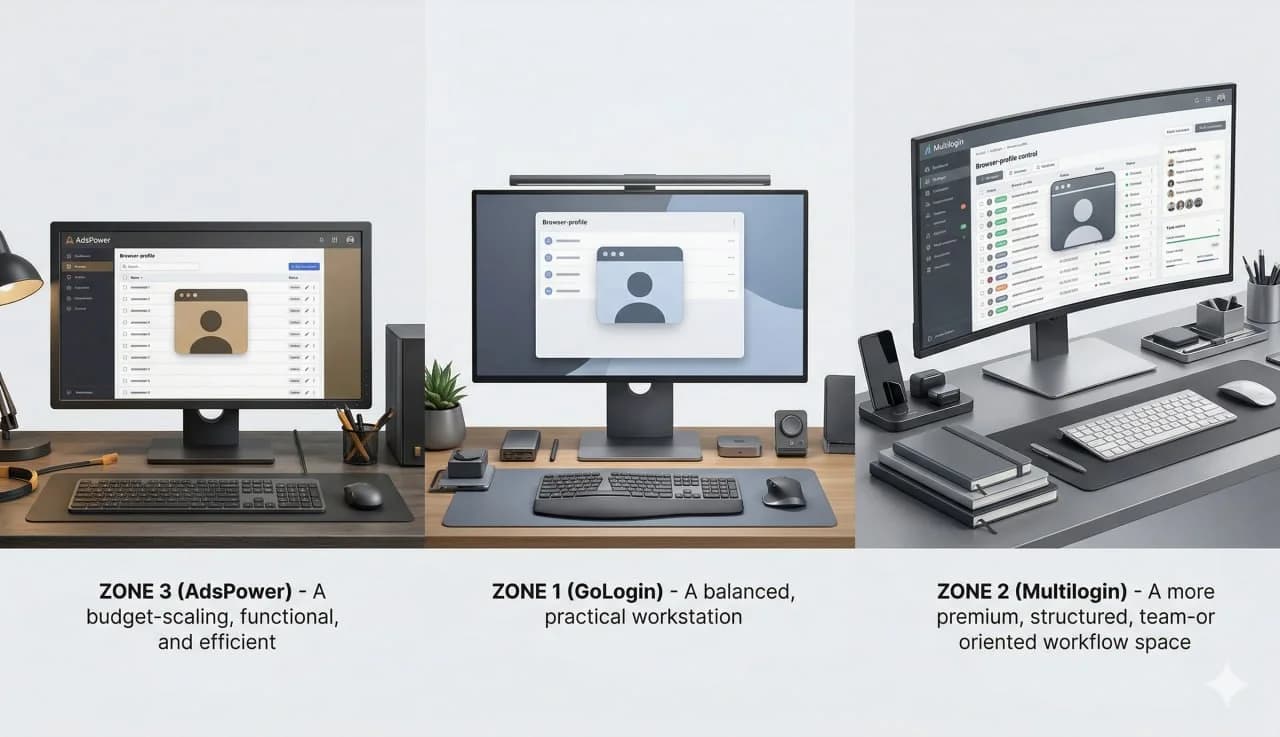
This comparison covers the browser-profile products from GoLogin, Multilogin and AdsPower, not every product sold by those companies. Multilogin also offers Android cloud phones. A browser comparison therefore cannot, by itself, decide which provider fits a native mobile workflow.
Product scope reviewed: 7 September 2026. Multilogin's official website lists both Multi Account Browser and Android Cloud Phones. The Android product is separate from the browser product evaluated here. Its description alone does not establish iOS availability or a particular physical or virtual hardware architecture.
Short answer
Compare browser tools when the work happens in web dashboards and requires separate profiles. Evaluate an Android environment when the required tasks happen in Android apps, including Multilogin's cloud-phone offering where appropriate. Evaluate physical iPhone access, such as iRemotech, when iOS and Apple hardware are actual requirements.
There is no evidence presented here to rank these browsers by ease of use, account safety, team quality or price. A purchasing decision needs current plans and a representative test, not a generic winner assigned to each brand.
What to compare in the browser products
GoLogin: test your web workflow
Ask operators to complete the tasks they actually perform: opening the required sites, using an assigned profile, moving approved files and handing work to another operator. Check permissions, supported integrations and the conditions of the plan under consideration.
Multilogin Multi Account Browser: keep the product boundary clear
Evaluate its browser-profile features against the same task list. Do not attribute the capabilities of Android Cloud Phones to a browser profile, or assume that a limitation of the browser product applies to Multilogin's full portfolio.
AdsPower: compare the required capacity and administration
Check profile capacity, access controls, collaboration and the integrations you need. Distinguish browser work from native mobile requirements. Obtain a current quote instead of assuming AdsPower is always the cheapest option.
Comparison checklist
| Buying criterion | GoLogin browser | Multilogin browser | AdsPower browser |
|---|---|---|---|
| Product in scope | Browser profiles | Multi Account Browser | Browser profiles |
| Required web tasks | Test your actual sites | Test your actual sites | Test your actual sites |
| Team access | Verify permissions and plan limits | Verify permissions and plan limits | Verify permissions and plan limits |
| Integrations | Confirm each required integration | Confirm each required integration | Confirm each required integration |
| Total cost | Quote equivalent capacity | Quote equivalent capacity | Quote equivalent capacity |
| Native mobile execution | Not provided by a browser profile alone | Android Cloud Phones is a separate product | Not provided by a browser profile alone |
This is a checklist, not an independently tested feature ranking. Request current documentation for each requirement before buying.
When the decision moves beyond browsers
A browser profile does not itself provide a native Android or iOS environment. That is a product limitation, not proof that the same vendor has no mobile offering. The cloud phone versus antidetect browser guide explains the category boundary and the requirements to check.
MoreLogin also advertises browser and Android cloud-phone products on its official website, reviewed on the same date. The MoreLogin alternative comparison separates those products from remote physical iPhones. Moving from web work to Android apps does not automatically require changing vendors.
Questions before committing
Which option is safer for long-lived accounts? This comparison does not establish a safety ranking. No browser or phone service guarantees freedom from restrictions. Follow platform rules, protect credentials and define authorized access.
Is the cheaper plan necessarily worse? No. Compare the full cost and required features at equivalent capacity. Price alone does not establish quality.
Can browser and phone products coexist? Yes, when each has a defined role: web, Android or iOS. Document permissions, account ownership and recovery procedures rather than treating the tools as interchangeable.
Verdict
Choose a browser product on verified web requirements and current commercial terms. For Android work, compare mobile offerings separately, including Multilogin's Android cloud phones. For physical iPhone and iOS requirements, evaluate iRemotech. A change of product category does not necessarily mean a change of provider.
Stop juggling physical devices.
iRemotech gives you real iPhones in the cloud — ready for multi-account operations, automation, and scale. Create your account in minutes.
Sign up freeMiguel Nogales
Founder @ iRemotech
From Spain, living in Andorra. Tech enthusiast passionate about infrastructure, remote technology, and building innovative solutions.