What Is a Cloud Phone? The Complete Guide (2026)
Cloud phones are not one thing. This guide explains the three real cloud phone architectures — emulators, ARM virtual devices, and physical devices — and when each one makes sense.
Most people hear "cloud phone" and think VoIP. That's not what this is about.
A cloud phone — in the context of mobile operations — is a physical or virtual mobile device hosted remotely and accessed through the internet. You control the screen, install apps, manage accounts, and run automation — without the device ever being in your hands.
Cloud phones have become the backbone of professional social media operations, multi-account management, and mobile-first automation. But not all cloud phones are built the same, and the differences matter more than most operators realize.
This guide covers what cloud phones actually are, the three types that exist, how they compare, which architecture survives platform detection in 2026, and how cloud phones differ from both phone farms and antidetect-browser workflows.
Decision snapshot: which cloud-phone architecture fits?
Choose the architecture by the trust layer the workload needs, not by the label “cloud phone”.
- Best fit for emulators: QA, disposable tests, early automation and workflows where account reputation is not valuable.
- Best fit for virtual Android cloud phones: Android-native tasks where speed and cost matter more than iOS realism.
- Best fit for remotely operated real phones: social, messaging, market research or account workflows where platform systems care about hardware identity, app behavior, camera/session continuity, network coherence and recovery.
Not a fit: if the workflow is purely web-based, a browser profile may be the cleaner layer. If the workflow depends on native mobile apps and durable account trust, the phone layer matters more than the browser layer.
iRemotech belongs in the third bucket: remotely operated physical iPhones. That makes it closer to managed device infrastructure than to VoIP, browser profiles or emulator fleets. For the proof layer behind that choice, compare the category against real devices vs emulators.
How a Cloud Phone Works
The concept is straightforward: a mobile device runs somewhere else, and you access it remotely.
In practice, a cloud phone system has three layers:
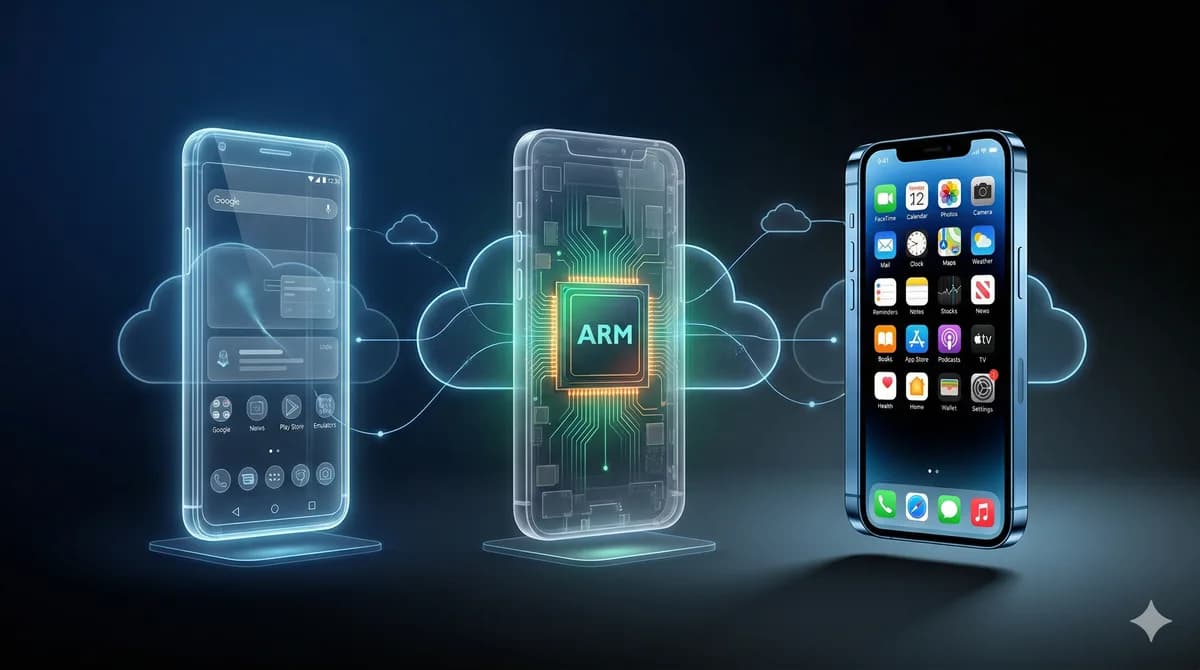
The device layer — the actual hardware or virtual instance running a mobile operating system. This can be a real physical phone, an ARM-based virtual device, or a software emulator.
The connectivity layer — the network infrastructure that connects the device to the internet with a specific IP address, carrier identity, and geographic location. This layer determines whether apps see a "real" mobile user or a datacenter connection.
The access layer — the interface you use to control the device: a web panel, a desktop app, or an API. This is where you interact with the phone's screen, send inputs, and manage automation.
The quality of a cloud phone solution depends entirely on how each of these layers is implemented. A cloud phone running an Android emulator on datacenter hardware with a shared IP is fundamentally different from a real iPhone on a dedicated SIM with a residential carrier connection — even though both are "cloud phones."
The label "cloud phone" covers everything from basic emulators to enterprise-grade infrastructure. Understanding the differences is the first step to choosing the right solution.
The Three Types of Cloud Phones
Type 1: Android Virtual Devices (Emulators)
The most common and cheapest category. An Android operating system runs inside a virtual machine on cloud servers. You get a screen you can control remotely, and the device appears to be a real Android phone — at least on the surface.
How it works: x86 or ARM-translated Android images running on standard cloud computing infrastructure (AWS, GCP, or dedicated servers). Each virtual device shares the underlying hardware with dozens of other instances.
Examples: GeeLark, VMOSCloud, early-generation cloud phone services.
Strengths:
- Cheapest per device ($3–15/month)
- Instant provisioning — spin up 50 devices in minutes
- Easy to scale horizontally
Limitations:
- Detection is the core problem. Social media platforms have become sophisticated at identifying virtualized environments. Build properties, sensor data, GPU behavior, and timing patterns all differ from physical hardware. TikTok and Instagram periodically flag waves of virtual device accounts.
- No real SIM — network identity is simulated or proxied through shared IPs
- No real carrier fingerprint — platforms that check MCC/MNC codes see inconsistencies
- Performance degrades under load — shared infrastructure means shared resources
Android virtual devices work for testing and low-stakes operations. For professional multi-account management on platforms with active fraud detection, they are a time bomb.
Type 2: ARM-Based Cloud Phones
A step up from pure emulation. Instead of translating Android code to run on x86 servers, ARM cloud phones run Android on actual ARM processors — the same architecture used in physical phones.
How it works: Custom server hardware with ARM chips (often Qualcomm or MediaTek) running Android natively. Each device gets its own ARM core allocation, avoiding the translation overhead and some detection signatures of x86 emulation.
Provider verification: Do not infer a provider’s processor, virtualization, sensor or SIM implementation from the term “cloud phone”. Multilogin’s official website, checked 7 September 2026, confirms Android Cloud Phones alongside its browser product, but that description alone does not establish that Multilogin belongs to this ARM-based architecture category. Obtain product-specific technical documentation before applying this section’s architectural claims to a vendor.
Strengths:
- Better hardware fingerprint than x86 emulators — ARM architecture matches real phones
- Native app performance — no translation overhead
- More consistent sensor data
Limitations:
- Still virtual — no physical device means no real UDID, no real IDFV, no real battery data
- SIM simulation, not real SIM — carrier fingerprint doesn't match a genuine mobile connection
- Android only — iOS is not available on ARM cloud infrastructure
- Higher cost than emulators ($15–40/month per device)
- Detection is improving — platforms are learning to identify ARM cloud patterns too
ARM cloud phones close some detection gaps compared to emulators, but they don't solve the fundamental problem: there is no physical device, so every signal that requires real hardware must be faked.
Type 3: Real Device Cloud Phones (Physical Hardware)
The newest and most reliable category. Actual physical smartphones — real hardware, real operating system, real SIM cards — housed in a facility and accessed remotely through a control panel.
If DuoPlus is on the shortlist for Android cloud capacity, the DuoPlus alternative shows where physical iPhones become the safer option.
How it works: Physical devices (iPhones or Android phones) are connected to infrastructure that provides power, network connectivity, and remote access. Operators control the real device screen through a web interface. Each device has its own dedicated SIM card with a real carrier connection.
Examples: iRemotech (real iPhones with dedicated SIMs).
Strengths:
- Zero detection risk from device fingerprinting — every signal is genuine because the hardware is genuine
- Real SIM with real carrier identity — MCC/MNC, carrier name, and phone number are authentic
- Real iOS support — the only cloud phone category that offers actual iPhones
- Real sensor data — accelerometer, GPS, battery level are all from physical hardware
- No shared infrastructure at the device level — each phone is a dedicated unit
Limitations:
- Higher cost per device ($50+/month) — real hardware costs real money
- Provisioning takes longer than virtual devices — physical phones need to be configured
- Capacity is bounded by physical inventory — you can't spin up 1,000 devices instantly
Real device cloud phones are the only category where the device itself is indistinguishable from a consumer's personal phone. For operations where account health and longevity are critical, this is the only architecture that holds up long-term.
Comparison Table
| Feature | Android Emulator | ARM Cloud Phone | Real Device (iRemotech) |
|---|---|---|---|
| Hardware | Virtual (x86/ARM translated) | Virtual (native ARM) | Physical device |
| Operating system | Android only | Android only | iOS (real iPhone) |
| SIM card | None / shared proxy | Simulated | Real dedicated SIM |
| Carrier fingerprint | Inconsistent | Simulated | Authentic |
| Device fingerprint | Detectable | Partially detectable | Genuine |
| Sensor data | Synthetic | Partially synthetic | Real |
| Cost per device | $3–15/month | $15–40/month | $50+/month |
| Provisioning speed | Instant | Fast | Hours |
| Detection risk | High | Medium | None (hardware level) |
| Best for | Testing, low-risk ops | Medium-risk Android ops | Professional multi-account |
Use Cases: When Each Type Makes Sense
Social Media Multi-Account Management
The primary use case driving cloud phone adoption. Agencies and operators managing 10, 50, or 500+ accounts across Instagram, TikTok, and other platforms.
The requirement: Each account needs to look like it's running on a unique, genuine mobile device. Shared fingerprints, shared IPs, or detectable emulation lead to account restrictions and bans.
Typical fit: Real device cloud phones are usually the most durable option for high-friction social media operations. The combination of physical hardware + dedicated SIM + carrier IP creates an identity that platforms generally treat like a regular consumer device. Device fingerprint checks explain why that hardware-backed trust profile tends to hold up better on platforms with aggressive fraud detection.
For lower-risk operations with fewer accounts, ARM cloud phones can work, but with the understanding that detection improves continuously.
Best Cloud Phones for Social Media in 2026 maps the main 2026 vendor set.
Phone Farm vs Cloud Phone covers the ownership-versus-rental cost tradeoff.
Cloud Phone vs Antidetect Browser defines the browser-versus-device architecture boundary.
Device Fingerprinting on Mobile details the account-safety signals platforms inspect.
- Phone Farm for TikTok for TikTok-heavy operations
- How to Manage Multiple Instagram Accounts Professionally for Instagram-heavy operations
- Cloud Phone for WhatsApp Business for messaging-led workflows
- iPhone Farm for Agencies for agency delivery models
Best Antidetect Tools for Social Media in 2026 is the broader browser-first category overview.
GoLogin vs Multilogin vs AdsPower remains the direct comparison for that browser trio.
Multilogin Alternative for Mobile compares its browser and Android cloud-phone products with physical iOS alternatives; DuoPlus alternative covers a separate mobile-provider comparison.
Android Cloud Phone vs Real iPhone explains the platform tradeoff between virtual Android capacity and real-device delivery.
GeeLark alternative to Android cloud phones covers the Android-to-real-device transition, and iRemotech vs GeeLark is the direct vendor comparison.
E-Commerce and Marketplace Operations
Managing multiple seller or buyer accounts on platforms like Amazon, eBay, or Mercari from mobile apps.
Typical fit: This depends on the platform's detection sophistication. For many e-commerce platforms, ARM cloud phones or Android emulators can be workable. Where mobile trust checks approach social-media-level scrutiny, real devices tend to provide the longer-lived operating profile.
App Testing and QA
Running the same app across many device configurations to verify behavior, catch bugs, or test performance.
Typical fit: Android emulators remain the standard option for internal testing, where detection pressure is irrelevant and provisioning speed plus low cost matter most.
Mobile Automation at Scale
Running automated workflows (posting, engagement, data collection) across many devices simultaneously.
Typical fit: The automation layer matters more than the device type here. On platforms that detect automated behavior, real devices paired with vision-based automation (YOLO-based UI detection) usually preserve a more durable operating profile than coordinate-based scripts running on emulators.
What Platforms Actually Check
Understanding why cloud phone type matters requires knowing what social media platforms verify:
Device identity signals:
- UDID / IDFV (iOS) or Android ID
- Build model, manufacturer, firmware version
- Screen resolution, pixel density
- GPU renderer string
Network signals:
- IP address and ISP classification (residential vs datacenter)
- Carrier name and MCC/MNC codes
- Connection type (WiFi vs cellular)
- DNS configuration
Behavioral signals:
- Sensor data patterns (accelerometer, gyroscope)
- Touch interaction timing and pressure
- Battery charging patterns
- GPS movement patterns
Consistency signals:
- Does the device identity match the network identity?
- Does the carrier match the geographic location?
- Are multiple accounts sharing any of these signals?
Emulators fail on device identity, sensor data, and consistency checks. ARM cloud phones fail on SIM/carrier verification and some consistency checks. Real devices with dedicated SIMs pass everything — because there's nothing to fake.
The Cost Question
The objection to real device cloud phones is always cost. At $50+/month per device vs $5/month for an emulator, the math seems obvious — until you factor in account losses.
The real calculation:
If you're running 50 accounts on emulators at $5/device and losing 20% of accounts per month to detection:
- Monthly device cost: $250
- Monthly account replacement cost: 10 accounts × (creation time + warm-up time + lost momentum) = significantly more than the device savings
If you're running 50 accounts on real devices at $50/device with near-zero detection losses:
- Monthly device cost: $2,500
- Monthly account replacement cost: ~$0
For professional operations where accounts have real value, the "expensive" option is actually cheaper.
The cheapest device is the one that doesn't get your accounts banned. Our complete phone farm guide documents the DIY-versus-managed infrastructure cost model in detail.
What to compare once the category is clear
The reference map below keeps the trust, vendor, and workload links grouped by operating model:
The supporting references for trust, vendor selection, and workload fit are:
Android-emulator patterns appear where:
- app testing stays internal,
- account bans are an acceptable cost,
- maximum device count matters more than device trust, and
- the workflow is not running on platforms with serious fraud detection.
ARM-cloud-phone patterns appear where:
- the team needs better fingerprinting than emulators,
- the platform pressure sits in a moderate-detection range,
- budget is constrained but some additional safety is still required, and
- the workload remains Android-only.
Real-device cloud-phone patterns appear where:
- account survival matters more than lowest-cost provisioning,
- real SIMs, real carrier identity, and hardware-level trust are required,
- the workflow includes social, support, or retention operations that cannot keep absorbing device-ban resets,
- agency-led operations are covered in iPhone Farm for Agencies,
- account health and longevity are critical,
- the workload runs on Instagram, TikTok, or platforms with aggressive fraud detection,
- iOS is specifically required,
- account losses carry real business impact, and
- detailed build-out requirements are covered in How to Build an iPhone Farm.
Where real iPhone infrastructure fits
A real-iPhone cloud-phone model fits teams that need physical iOS hardware without building local infrastructure. Physical iPhones with dedicated SIM cards, housed in managed infrastructure, accessible through a web-based control panel.
Each device is a genuine iPhone with:
- A real, dedicated SIM card with carrier identity
- A unique residential IP through the SIM's carrier connection
- Full iOS with no jailbreak or modification
- Remote screen access from anywhere
- Visual automation support (YOLO-based UI detection)
The infrastructure handles everything that makes building your own iPhone farm prohibitively complex: hardware maintenance, SIM management, network configuration, iOS updates, and 24/7 monitoring.
Current pricing starts at $50/month per device. The managed model removes upfront hardware procurement and ongoing infrastructure handling while keeping the devices as real remotely operated iPhones.
Frequently asked questions
Who is this guide for?
It is for teams that need to understand the operational tradeoff before buying tools, building hardware or moving accounts into a new mobile infrastructure model.
What should I decide before choosing a setup?
Decide the risk level, the platforms involved, whether iOS matters, how many accounts need continuity, and how much manual recovery your team can realistically handle.
Is a real-device setup always necessary?
No. It is necessary when trust, app-native behavior, iOS support or account longevity matter more than the lowest possible device cost.
What is the practical next step?
Run a small pilot with clear rules: fixed accounts, fixed devices, stable network identity, measured operator time and a simple account-health score.
Stop juggling physical devices.
iRemotech gives you real iPhones in the cloud — ready for multi-account operations, automation, and scale. Create your account in minutes.
Sign up freeMiguel Nogales
Founder @ iRemotech
From Spain, living in Andorra. Tech enthusiast passionate about infrastructure, remote technology, and building innovative solutions.