Phone Farm vs Cloud Phone: The Real Cost Comparison
Compare phone farm vs cloud phone costs, including CapEx, OpEx, staffing, maintenance, recovery, and the real total cost of ownership.
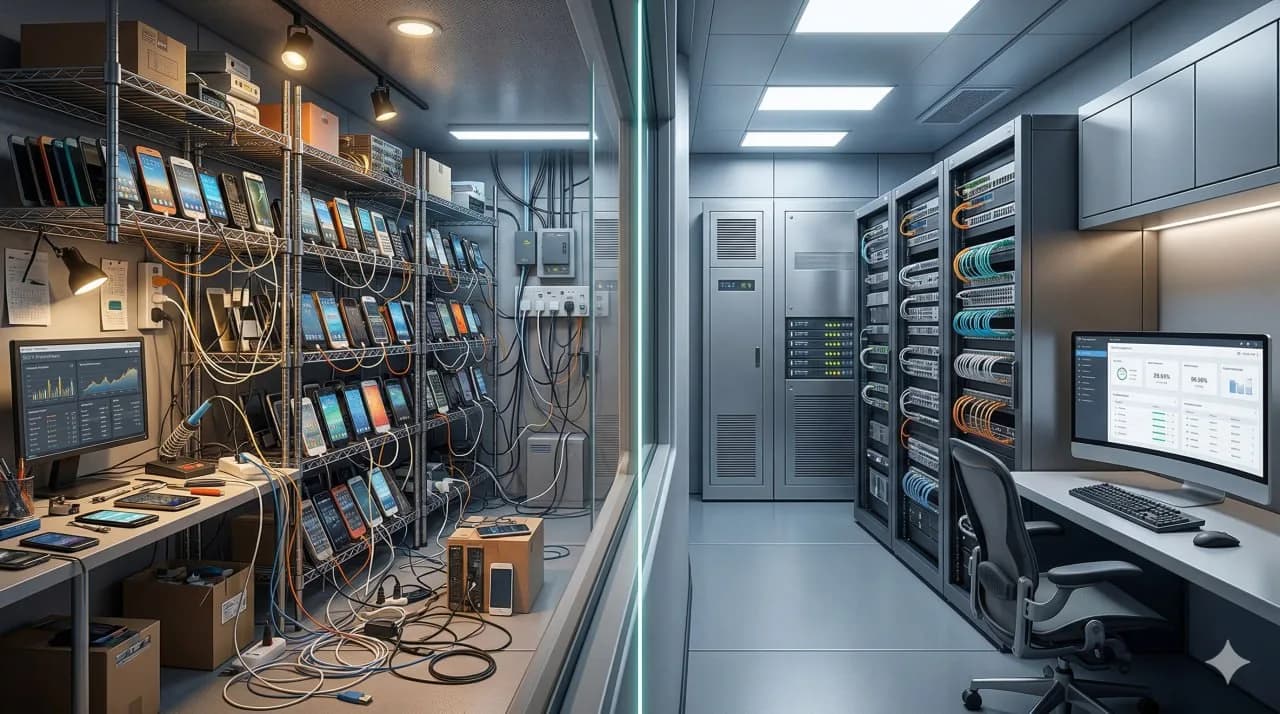
Short answer: A phone farm usually looks cheaper only if you count hardware and ignore operations. A cloud phone model usually looks more expensive only if you ignore what DIY infrastructure costs to build, staff, recover, monitor, and replace over time. For professional teams, the comparison is not CapEx vs subscription in isolation. It documents the difference between carrying the hardware burden internally and paying for managed delivery.
Key takeaway: The cheapest-looking setup on day one is often the most expensive setup by month six. A phone farm carries hardware, labor, downtime, recovery, and scaling costs that many teams underestimate. A cloud phone model shifts more of that burden into predictable operating expense.
When teams compare a phone farm with a cloud phone, they often make the wrong comparison. They compare a visible monthly subscription against a partial hardware bill. That misses the real cost structure.
A phone farm is a physical device operation you build and run yourself. A cloud phone is a remotely hosted device environment you access as a service. Those models distribute cost very differently. One concentrates more effort in hardware ownership and operations. The other concentrates more cost in subscription pricing and provider margin.
This guide compares the real cost of each model, including hidden costs, staffing burden, recovery work, maintenance, and scaling friction. The phone farm guide provides the build-and-operations baseline for DIY infrastructure. The broader cloud phone guide explains the service-model side of the comparison. browser profiles vs cloud phone architecture keeps browser-first workflows in a separate category from this cost analysis. phone farm software: what actually controls the devices documents the controller-layer burden behind DIY operations.
Decision snapshot: compare total operating burden, not monthly price
A DIY phone farm can look cheaper because the invoice is fragmented: devices, shelves, hubs, cables, power, networking, replacements, operator time and incident recovery are all counted separately. A managed cloud-phone model looks more expensive only if you ignore the burden it removes.
Evaluate the decision in four layers:
- Capital and refresh: who buys devices, replaces aging units and absorbs hardware failures.
- Access and recovery: who handles offline devices, session problems, remote control failures and account access windows.
- Operator focus: whether the team is paid to run accounts or to maintain a rack.
- Scale risk: whether every new account requires more physical work, monitoring and spare capacity.
iRemotech is not positioned as the cheapest way to touch one phone. It is positioned for teams that need real iPhones without turning device operations into their own infrastructure department. For the broader operating model behind local racks, box setups and managed remote devices, use the phone farm complete guide as the base comparison.
What costs people usually underestimate
Most teams underestimate the cost of a phone farm because the first visible line items feel familiar:
- phones,
- racks or boxes,
- power,
- cables,
- routers,
- control hardware,
- proxies or network configuration.
Those are real costs, but they are not the whole system.
The hidden costs usually arrive later:
- device replacement,
- failure recovery,
- staff time,
- local access dependency,
- software fragmentation,
- SIM procurement and handling,
- uptime loss during maintenance,
- scaling mistakes, and
- management overhead once the fleet grows.
A cloud phone subscription is easier to evaluate because the invoice is visible. A phone farm is harder to evaluate because much of the cost appears as operational drag instead of one clean bill.
What a phone farm really costs
Teams usually keep a phone-farm model when they want total control, already have in-house hardware talent, and can absorb operational burden. But the real total cost of ownership still includes more than devices.
Capital costs
The obvious CapEx layer includes:
- device purchases,
- control hardware,
- power distribution,
- network gear,
- cables and adapters,
- physical space, and
- replacement inventory.
A small setup can look manageable. A larger one starts to behave like infrastructure.
Setup costs
Teams also spend time and money on:
- configuring devices,
- labeling and mapping inventory,
- preparing network separation,
- procuring SIMs,
- installing control software,
- building monitoring and recovery routines, and
- documenting workflows for operators.
These steps are often treated as one-time work. In reality, they repeat as the fleet changes.
Operating costs
Once the farm is live, the monthly cost often includes:
- staff hours,
- space and electricity,
- broken-device swaps,
- network troubleshooting,
- local intervention,
- on-site resets,
- automation upkeep,
- monitoring gaps, and
- performance loss during incidents.
This is why the phone farm decision should always be tied to who will operate it. Infrastructure without operating capacity becomes expensive quickly.
What a cloud phone really costs
A cloud phone model shifts cost away from ownership and toward service delivery. That usually means:
- recurring monthly fee per device or session,
- less up-front hardware spending,
- lower build complexity,
- reduced internal maintenance,
- faster provisioning, and
- fewer recovery tasks handled by the customer.
This does not mean every cloud phone product is economically equivalent. Some low-cost cloud phone offerings are cheap because the environment is weak, synthetic, or limited. The cost question is not just subscription vs ownership. It is subscription price relative to what the infrastructure actually gives you.
For example, a low-cost Android cloud phone can underperform in workflows that depend on real iOS behavior. Likewise, a managed real-iPhone model can cost less overall than DIY operations that would otherwise require dedicated staff and constant intervention. Android Cloud Phone vs Real iPhone explains that architecture split in more detail.
CapEx vs OpEx is only the first layer
The classic comparison is phone farm equals CapEx and cloud phone equals OpEx. That is true, but incomplete.
Why CapEx looks attractive
Buyers like CapEx because:
- assets feel owned,
- monthly bills can look lower later,
- hardware can be reused,
- internal teams can customize the stack, and
- there is no provider dependency in theory.
Why OpEx can win in practice
OpEx models are often preferred because:
- they avoid large up-front spend,
- deployment is faster,
- costs are more predictable,
- scaling does not require procurement cycles, and
- a provider absorbs more maintenance burden.
The important point is this: ownership does not remove complexity. It internalizes it.
That is why many teams move away from local hardware once they realize they are not really saving money. They are just converting vendor cost into internal labor and downtime.
Hidden costs: staffing, recovery, and maintenance
This is where most phone farm comparisons go wrong.
Staffing cost
Someone has to:
- monitor the devices,
- handle broken sessions,
- diagnose failures,
- restart problem devices,
- replace bad hardware,
- maintain the software stack, and
- keep network behavior consistent.
At 5 devices, that may feel trivial. At 50 or 200, it becomes a real function.
Recovery cost
Recovery is one of the most ignored costs in DIY setups. When a local rack has problems, someone usually has to touch the setup physically or debug the control layer directly. That means:
- slower response,
- more operational interruptions,
- more local dependency, and
- more staff specialization.
Maintenance cost
A phone farm is not just hardware. It is a living system. Devices age, batteries degrade, ports wear out, cables fail, OS versions drift, and control methods change.
These are normal infrastructure realities. The mistake is pretending they are free.
box phone farm vs remote iPhone farm narrows the comparison to local hardware versus remote real-device delivery.
Phone Farm for TikTok covers the TikTok-specific execution case. Phone Farm for Instagram covers Instagram-heavy operations. How to Manage Multiple Instagram Accounts Professionally stays focused on operator process rather than device infrastructure. iPhone Farm for Agencies documents the managed client-delivery model.
Phone farm vs cloud phone cost comparison table
| Cost dimension | Phone farm | Cloud phone |
|---|---|---|
| Up-front cost | High, because you buy hardware and setup components | Low to moderate, because cost is usually subscription-based |
| Monthly predictability | Often uneven due to incidents and replacements | Usually high and easier to forecast |
| Staffing burden | High once the fleet grows | Lower if the provider manages infra and recovery |
| Recovery cost | Internal and often manual | Partially externalized to provider |
| Hardware replacement | Your responsibility | Usually provider responsibility or built into service model |
| Speed to scale | Slower, tied to procurement and setup | Faster, tied to plan expansion and availability |
| Failure overhead | More internal troubleshooting | More provider-side handling |
| Flexibility and control | High if you have the skill and time | Lower than full ownership, but easier to operate |
| Best fit | Teams with infra talent, tolerance for maintenance, and a strong reason to own the stack | Teams that want predictable operations and less internal burden |
| Most underestimated cost | Labor and recovery | Buying the wrong architecture for the use case |
Where phone-farm economics tend to hold up
How to Build an iPhone Farm documents the local iPhone build requirements behind this cost comparison. iPhone Farm for Agencies documents the managed client-delivery model. Android Cloud Phone vs Real iPhone covers the remaining Android-cloud versus real-device capacity question. Best Cloud Phones for Social Media in 2026 surveys the vendor landscape behind this market. Phone Farm for TikTok and Phone Farm for Instagram provide the workload-specific execution references.
Phone-farm economics tend to hold up in environments with:
- existing technical staff,
- local operations that can run without much friction,
- a strong requirement for deep stack control,
- a use case that justifies hardware ownership,
- relatively stable fleet size, and
- enough tolerance for maintenance overhead.
This is more realistic for teams that think like infrastructure operators, not just users of a tool.
Where cloud-phone economics tend to hold up
Cloud-phone economics tend to hold up in environments with:
- speed requirements that matter more than hardware ownership,
- a need for predictable monthly cost,
- local setups that are becoming operationally messy,
- recovery burden that is hurting productivity,
- hardware CapEx exposure that would create sunk-cost risk, or
- growth plans that do not justify building an internal farm team.
For many professional operators, the cloud phone advantage is not just price. It is the removal of infrastructure drag.
That is especially true when the managed model also includes real devices, remote access, and dedicated SIMs instead of just generic virtual Android sessions. browser profiles vs cloud phone architecture keeps the browser-versus-mobile decision separate from this cost discussion.
Best Antidetect Tools for Social Media in 2026 provides the browser-stack category view.
AdsPower vs GoLogin vs Dolphin Anty covers browser products. Multilogin Alternative for Mobile distinguishes Multilogin’s browser and Android cloud-phone offerings from physical iOS alternatives.
Best Cloud Phones for Social Media in 2026 documents the mobile-infrastructure vendor landscape, and Android Cloud Phone vs Real iPhone documents the device-model split.
GeeLark Alternative documents the Android-vendor comparison layer.
Cloud Phone for WhatsApp Business covers messaging workflows.
Phone Farm for Instagram and Phone Farm for TikTok provide the channel-specific operating references.
iPhone Farm for Agencies documents the managed-service delivery model, and Device Fingerprinting on Mobile covers the platform-risk layer.
What the cost comparison should change next
The reference split below keeps the cost discussion attached to operating burden instead of a simple price check.
Phone-farm cost patterns appear where:
- a requirement to own the hardware,
- internal capacity to support maintenance,
- acceptance of CapEx and on-site burden,
- a stronger need for customization than simplicity, and
- economics that still work after staff time is included.
Cloud-phone cost patterns appear where:
- a stronger need for faster deployment,
- a desire to avoid hardware buildout,
- a need for cleaner OpEx budgeting,
- little appetite for running recovery operations internally, or
- a preference for time, uptime, and simplicity over full hardware control.
Verdict
Phone farms can be cheaper on paper. Cloud phones are often cheaper in practice once you count the cost of running the operation.
The more complex the workflow, the more important that distinction becomes. If the team underestimates staffing, maintenance, and recovery, a DIY phone farm quickly stops looking cheap. If the team picks a cloud phone product that is too weak for the actual use case, the subscription can also become a bad buy.
The operating-model split usually comes down to two tradeoff patterns:
- own the stack and accept the burden, or
- reduce the burden and pay for a managed model.
Android Cloud Phone vs Real iPhone documents the split between virtual Android capacity and real-device delivery inside managed infrastructure.
What to compare after the cost model
If the first-pass cost comparison is clear but the operating model is still open, the references below help you compare provider fit, trust risk, and workload-specific execution before you commit.
Device Fingerprinting on Mobile documents the account-trust layer behind cost and operating-model decisions.
Cloud Phone for WhatsApp Business covers messaging-led teams.
Phone Farm for Instagram and Phone Farm for TikTok provide the social-workflow references.
How to Manage Multiple Instagram Accounts Professionally stays focused on operator-process issues.
iPhone Farm for Agencies documents the managed-service delivery model, while GeeLark alternative to Android cloud phones documents the Android-vendor comparison layer.
Android Cloud Phone vs Real iPhone documents the virtual-Android versus real-device split inside the operating-model discussion.
Frequently asked questions
Which option is safer for long-running accounts?
The safer option is usually the one with the most coherent device story: real hardware, stable network identity, predictable operator behavior and fewer synthetic signals.
Is the cheaper setup always worse?
Not always. Cheaper setups can be fine for testing or low-stakes workflows. They become expensive when bans, manual recovery, account replacement and team time start costing more than the infrastructure itself.
What should agencies compare first?
Agencies should compare operational risk before feature lists: account value, recovery time, access control, device ownership, proxy routing and how easily a client workflow can be repeated.
Can mixed infrastructure work?
Yes, if roles are separated. Use lighter environments for QA or low-risk tasks and reserve real-device infrastructure for workflows where trust, mobile apps or iOS behavior are critical.
Stop juggling physical devices.
iRemotech gives you real iPhones in the cloud — ready for multi-account operations, automation, and scale. Create your account in minutes.
Sign up freeMiguel Nogales
Founder @ iRemotech
From Spain, living in Andorra. Tech enthusiast passionate about infrastructure, remote technology, and building innovative solutions.