iRemotech vs Multilogin: Android Cloud Phones or Real iPhones?
Compare Multilogin browser profiles and Android cloud phones with iRemotech physical iPhones. Choose by operating system, app workflow and access needs.
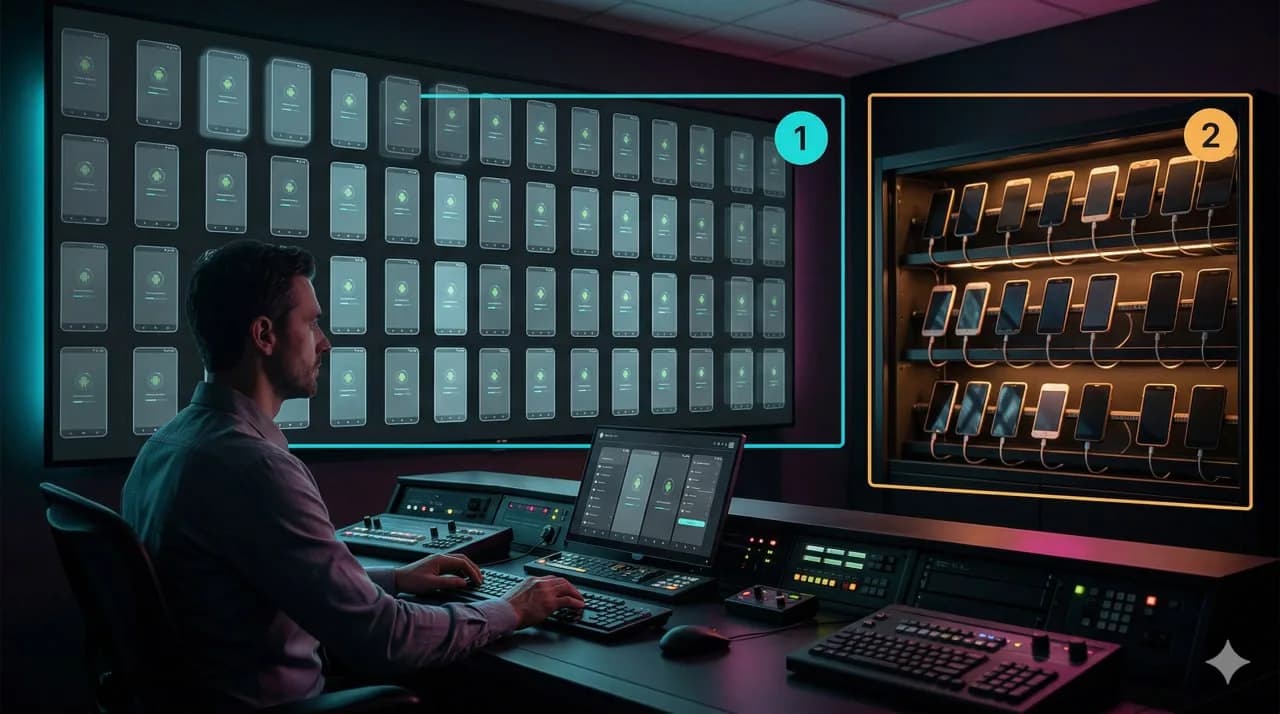
Short answer: Multilogin offers both an antidetect browser and Android cloud phones. iRemotech provides remote access to physical iPhones running iOS. For mobile work, the useful comparison is therefore Multilogin's Android cloud phones versus iRemotech's physical iPhones, not a browser-only vendor versus a mobile provider.
Content review: 7 September 2026. Multilogin's official website explicitly lists Android Cloud Phones and a Multi Account Browser. This confirms an Android mobile offering alongside the browser product; it does not establish iOS support or the underlying hardware architecture. This comparison is not a hands-on performance or account-safety test.
Start with the product, not the brand
Multilogin's browser product is relevant when operators need separate browser profiles for web dashboards and account administration. Its Android cloud-phone product addresses a different requirement: remotely accessing an Android environment for mobile-app work.
iRemotech's distinguishing feature in this comparison is physical iPhone access. It is relevant when the actual requirement is iOS, an iPhone-specific app flow, or testing and operating on physical Apple hardware. Neither Android nor iOS is automatically the right choice for every social-media team.
The antidetect browser comparison explains why browser profiles and mobile environments should be evaluated separately. That product distinction does not mean a vendor can only sell one category.
Comparison table: three concrete options
| Dimension | Multilogin browser | Multilogin Android cloud phones | iRemotech remote iPhones |
|---|---|---|---|
| Operating environment | Browser profiles | Android cloud-phone environment | Physical iPhones running iOS |
| Primary task | Web sessions and profile management | Android mobile-app workflows | iOS mobile-app workflows |
| Native mobile execution | Not supplied by a browser profile itself | Android apps; verify required app compatibility | iOS apps; verify required app compatibility |
| Physical iPhone access | Not the browser product's purpose | Not established by the cited Android offering | Core service model |
| Main buying question | Does profile management fit the web workflow? | Does the Android environment support the required tasks? | Does the workflow require physical iPhones? |
| What to verify | Permissions, profiles and integrations | Android version, app access and persistence | iOS version, device access and persistence |
An Android cloud-phone label alone does not identify whether the service uses physical devices, virtualization or another implementation. Ask the provider for technical details when those affect your requirements.
Which option fits your workflow?
Choose a browser-profile product for browser work. If operators mainly use web ad managers, dashboards and administrative tools, compare the relevant browser features directly. Adding phones may introduce complexity without helping those tasks.
Evaluate Multilogin's cloud phones for Android work. Moving into native apps does not require leaving Multilogin. Check whether its Android offering supports your exact posting, messaging, media-upload and recovery flows. Availability of an app does not guarantee every feature works remotely.
Evaluate iRemotech for physical iOS access. An iPhone requirement is a concrete reason to shortlist iRemotech. Confirm the device model, supported iOS version, operator access and any required media or verification capabilities before committing.
For a migration-focused checklist, see Multilogin Alternative for Mobile.
Compare operations and cost before buying
Request current details for session persistence, device assignment, team permissions, network options, recovery assistance and data handling. Verify SMS, SIM or camera-dependent steps explicitly rather than assuming that a cloud-phone subscription includes them.
Compare total cost for the same workload: required capacity, operator seats, usage limits, connectivity and support. Prices and included features change; check the current plans before buying. Pilot a representative authorized workflow and record compatibility, task completion and recovery effort. No comparative test results are claimed here.
Verdict
There is no blanket mobile winner. Multilogin covers browser profiles and Android cloud phones; iRemotech supplies physical iPhones running iOS. Select by operating system and verified workflow requirements, and combine browser and phone tools when each has a clear job. Neither service guarantees protection from bans, longer account lifespan or superior performance. Platform rules, account history and operator behavior still matter.
Stop juggling physical devices.
iRemotech gives you real iPhones in the cloud — ready for multi-account operations, automation, and scale. Create your account in minutes.
Sign up freeMiguel Nogales
Founder @ iRemotech
From Spain, living in Andorra. Tech enthusiast passionate about infrastructure, remote technology, and building innovative solutions.