iMouse Alternative: What Professional iPhone Farm Operators Use Instead
Looking for an iMouse alternative? This guide explains why operators move away from fragile local iPhone control and what a better remote model looks like.
If you are looking for an iMouse alternative, you are usually not looking for a new gadget. You are looking for a way out of a fragile operating model.
Short answer
iMouse can work for small local iPhone setups, but it becomes painful when scale, stability, and remote access matter. The core problems are hardware dependency, local-network design, manual recovery burden, and weak operating use as the fleet grows.
The problem with iMouse is not that it is useless. The problem is that it asks your team to keep carrying too much hardware and recovery burden.
Key takeaway
If you are replacing iMouse, you should evaluate alternatives based on operating model, not just on click-control capability. The best replacement is the one that removes local hardware fragility, reduces on-site intervention, and lets your team manage real iPhones remotely with less manual recovery work.
This guide explains why operators move away from iMouse, where the real pain comes from, and what a better production-grade alternative looks like.
iMouse vs remote iPhone infrastructure
| Factor | iMouse-style setup | Remote iPhone infrastructure |
|---|---|---|
| Access | Local-first | Remote by default |
| Hardware dependency | One control chain per device | Managed infrastructure layer |
| Recovery | Often manual and on-site | More centralized and remote |
| Scaling model | Add more hardware complexity | Add more managed capacity |
| Best fit | Small local iPhone control setups | Professional remote operations |
Why people search for an iMouse alternative
The intent is usually very specific.
Operators reach this search when they are already feeling one or more of these problems:
- too much hardware per device
- kernel or session instability
- local-only control constraints
- too much cabling and physical complexity
- too much on-site recovery work
- poor use as the fleet grows
That is why this is a BOFU problem, not a top-of-funnel education problem. The buyer already knows the class of pain they are trying to leave behind.
The structural problems that make iMouse painful at scale
1. Hardware per device keeps growing
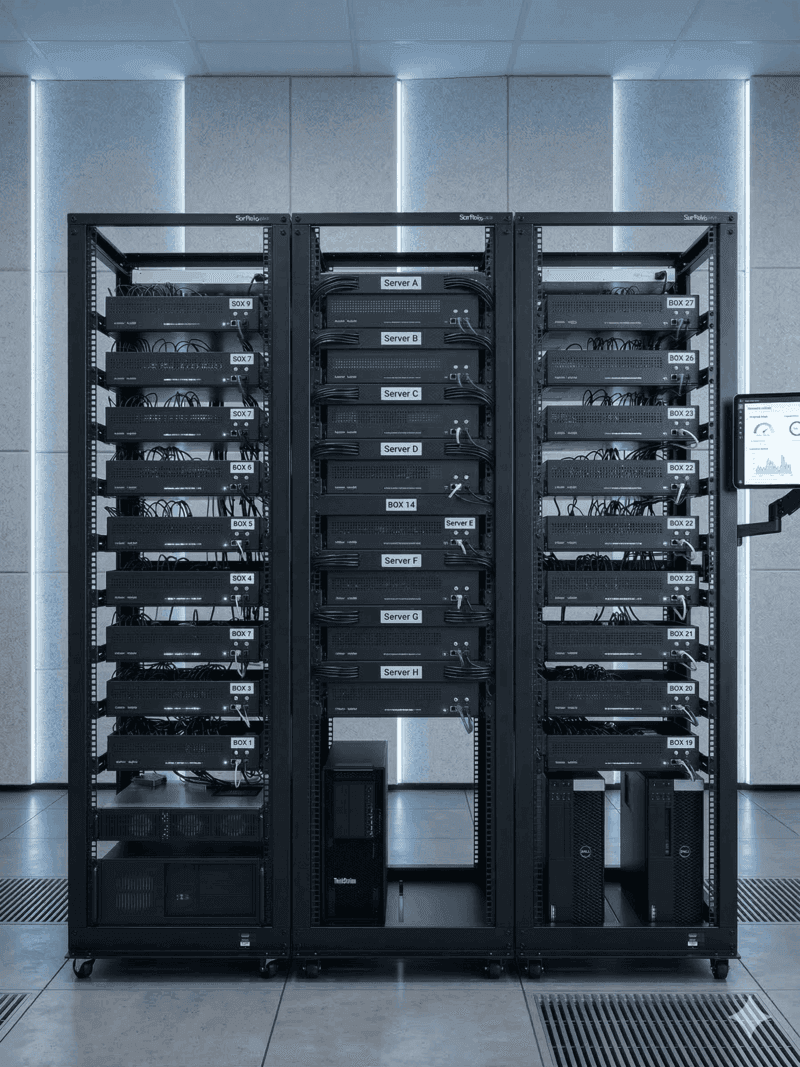
When the control model depends on chips, cables, local hosts, and physical mapping across the fleet, scale becomes a hardware multiplication exercise.
That quickly creates:
- cable density
- host-machine dependency
- harder replacement paths
- more failure points per device
2. Local-only access becomes a ceiling
If real access depends on the local environment, distributed operation becomes awkward. Multi-user access, client access, or remote team collaboration usually require extra engineering or operational workarounds.
3. Recovery remains too physical
This is one of the biggest issues. When the system breaks, someone often has to intervene close to the hardware.
An infrastructure stack that needs physical recovery too often is not scaling. It is just getting larger.
4. Scaling pain is operational, not just technical
The more devices you add, the more the team is managing the control system rather than the work the phones are supposed to perform.
What a better alternative should remove
A serious replacement for iMouse should reduce four burdens:
- local hardware dependence
- physical recovery dependence
- custom remote-access engineering
- scaling through more cable and host complexity
That does not mean removing real iPhones. It means removing the need for your team to keep carrying the local control burden around them.
What professional operators use instead
Professional operators usually move toward one of two paths:
Better local ownership model
A more mature in-house infrastructure stack with stronger software, better operating discipline, and more structured remote management.
Managed remote real-device infrastructure
A model where real iPhones still exist, but the hardware maintenance, connectivity, and recovery burden move out of the operator's office and into managed infrastructure.
When sticking with iMouse stops making sense
You are usually past the sensible point when:
- the control stack needs too much manual recovery
- the team has to be near the hardware too often
- adding devices increases fragility faster than output
- remote collaboration requires too many workarounds
- the infrastructure is consuming more attention than the operation itself
That is usually the point where the comparison shifts from feature-by-feature to model-by-model. If you are also weighing trust and device realism, compare with Real Devices vs Emulators.
Final answer
The best iMouse alternative is not necessarily another hardware gadget. It is a setup that replaces fragile local control with a more scalable operating model for real iPhones.
What to use when local control stops scaling
Teams leaving iMouse usually compare broader stack options like iRemotech vs Multilogin, benchmark Android-first options in GeeLark Alternative, validate remote real-device positioning in iRemotech vs GeeLark, shortlist hosted providers from Best Cloud Phones for Social Media in 2026, and shortlist adjacent tooling from the best antidetect tools for social media landscape.
Frequently asked questions
When is a browser-profile tool no longer enough?
It stops being enough when the work has moved from web sessions into native mobile apps. At that point the browser fingerprint is only one signal; the device, OS, network, SIM profile and account behavior all start to matter.
Does every team need real iPhones?
No. Low-risk testing and browser-first workflows can stay cheaper. Real iPhones make sense when account value, iOS behavior, long-term stability or platform trust matter more than the lowest monthly device cost.
What should I check before moving from an antidetect stack?
Check where the actual work happens. If operators spend most of the day inside TikTok, Instagram, WhatsApp or another mobile app, evaluate the mobile environment first and the browser layer second.
How should a team migrate without breaking current accounts?
Move in batches. Keep high-value accounts on stable devices, avoid sudden network and behavior changes, and only scale once the first group has a clean operating routine.
Stop juggling physical devices.
iRemotech gives you real iPhones in the cloud — ready for multi-account operations, automation, and scale. Create your account in minutes.
Sign up freeMiguel Nogales
Founder @ iRemotech
From Spain, living in Andorra. Tech enthusiast passionate about infrastructure, remote technology, and building innovative solutions.